15 Best Enterprise Messaging Apps for Secure Business in 2026
- Digital Nagma
- 4 days ago
- 7 min read


In today's digital-first world, how we communicate is super important for business success. Instead of relying on old methods like emails and phone calls, companies are turning to enterprise messaging apps for everyday team chats. These apps let people talk in real-time, work together smoothly, and boost productivity while keeping info safe across different places and even nations.
Such tools have changed how firms connect staff, handle projects, assist customers, and organize their ops. Whether you're remote, use a hybrid setup, or are in a central office, these platforms keep your team linked up and working efficiently.
What Are Enterprise Messaging Apps?
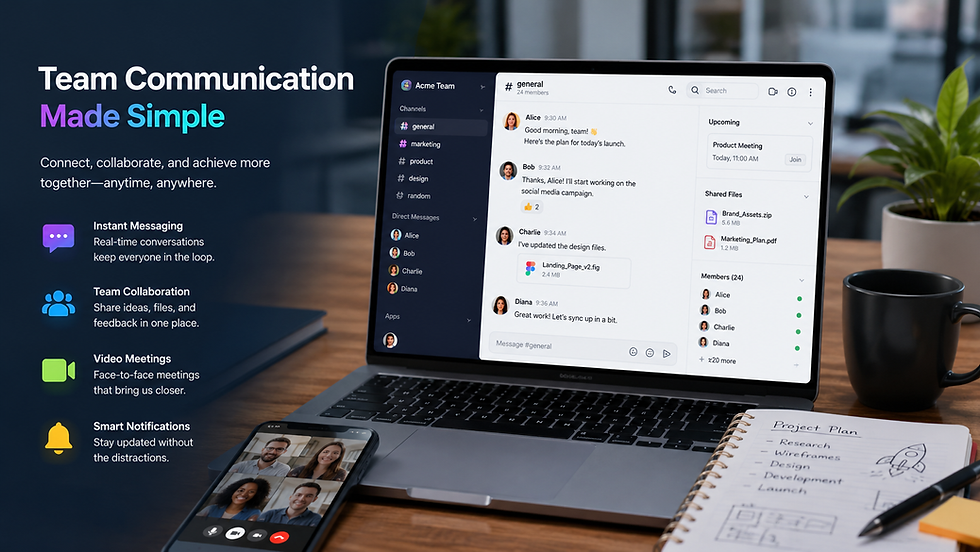
Enterprise messaging apps are made for businesses to help with instant messaging, file sharing, and more. These tools do things like voice calls, video chats, task management, and teamwork. Compared to regular chat apps, they focus on security, admin control, following rules, scaling up, and connecting with other work tools.
With these apps, workers can instantly talk via private or group chats, specific channels, and company-wide announcements. Plus, they join stuff like project managers, CRM systems, cloud storage, and productivity apps for better teamwork.
Why Businesses Need Enterprise Messaging Platforms
There are several communication challenges facing modern businesses such as communication silos, lag time in responses, managing remote workers and inefficient collaboration practices. Enterprise messaging applications can resolve some of these problems as it allows centralized communication methods.
Some common business incentives for adoption of enterprise messaging applications include:
Speedier communication across teams
Less reliance on lengthy email chains
Enhanced communication for remote/hybrid employees
Better project coordination
Higher employee engagement
Real-time information dissemination
Increased productivity
Secure communication channels
Because most businesses continue with digital transformation, enterprise messaging applications are no longer just communication options but an integral part of business communication.
Key Enterprise Messaging Application Features
1. Instant Messaging
Real-time messaging allows immediate communication with coworkers rather than waiting for email response. Instant messaging enhances quick decision making and cuts down communication delays.
2. Group Chats and Channels
Employees create channels for specific projects, teams, departments, clients or topics of interest that streamline conversations and organize the flow of information.
3. Voice and Video Calling
Most enterprise messaging platforms include the capability to place voice calls or make video calls directly without having to use a different platform.
4. File Sharing
Team members can easily upload and share files and documents as well as collaborate on presentations, spreadsheets or multi-media files directly from a conversation.
5. Search Functionality
With advanced search, employees can easily find specific messages, files or past conversations in the communication platform.
6. Integration Capabilities
Enterprise messaging apps integrate with CRM platforms, project management software, cloud storage solutions, HR and productivity tools.
7. Administrative Controls
The administrator controls access and user rights, communication policies and security protocols across the entire organization.
8. Security Features
Encryption, multi-factor authentication, data protection features and compliance controls keep conversations secure and private.
9. Workflow Automation
Automated responses, task management, approvals and reports simplify routine tasks.
10. Mobile Accessibility
The vast majority of enterprise messaging apps come with a mobile version of the software so that the team can stay connected wherever they are.
Benefits of Enterprise Messaging Apps
Increase Productivity: Employees spend less time managing email and searching for information. The real-time nature of communication means faster decision-making and problem-solving.
Enhance Collaboration: Real-time team collaboration occurs, irrespective of location, through shared channels and integrated tools.
Improve Employee Engagement: Enterprises messaging platforms contribute to a connected culture, with social networking, rewards and recognition, and company-wide communication tools available.
Decrease Email Overload: Routine communications are moved from email to messaging apps, reducing the volume of emails received and improving inboxes.
Speed up Decision Making: Key stakeholders can participate in discussions, provide feedback, and arrive at decisions faster with immediate communication.
Support Remote Work: Distributed workforces benefit from connection to their teams, managers, and all organizational updates through a single hub.
Enable Knowledge Management: Searchable communication trails mean all files, messages and discussions are saved for future reference and as a valuable knowledge base.
Cost Savings: Consolidating several communication and collaboration tools into one platform can lead to cost savings as a business doesn’t need to purchase or maintain separate systems.
Popular Enterprise Messaging Apps
Microsoft Teams
Used extensively by organisations who rely on Microsoft 365, Teams provides messaging, meeting facilities, file sharing, collaboration and close integration with other Microsoft services.
Slack
Widely known for its ease-of-use, extensive integrations, workflow customization and organized chat channels, Slack is another popular choice.
Google Chat
Integrated into Google Workspace, Chat enables messaging, file sharing and teamwork while remaining easily accessible to those within the Google suite.
Cisco Webex
The Webex suite is focused on communication and collaboration, and with its advanced security features is favored by larger organisations.
Workplace by Meta
Aimed at organisational communication and collaboration, Workplace offers social networking in an enterprise environment.
Rocket.Chat
An open-source communication platform offering numerous customizable features and high levels of security for enterprises.
Enterprise Messaging Apps vs. Traditional Communication Methods
Email
An established means of communication useful for formal interactions, documentation and correspondence with external contacts. Enterprise messaging apps simply offer quicker conversations and more collaborative functionalities.
Phone Calls
While effective for immediate, face-to-face communication, phone calls can lack documentation capabilities and opportunities for real-time, group collaboration. Messaging platforms may combine voice calling with its advantages.
In-Person Meetings
Although good for relationship building and focused discussion, they may be time-consuming and unrealistic for globally distributed workforces. Messaging apps offer ongoing communication, regardless of geography.
Industry Use Cases
Healthcare:
Medical organizations can securely communicate about patients, share information quickly between teams and staff, and streamline daily operations.
Financial Services:
These institutions can ensure security and compliance by leveraging messaging platforms for communication between teams and individuals within the bank and for regulatory and internal communication.
Education:
Universities and schools use these platforms for administrative communication between staff members, facilitating communication between teachers and their students, and enhancing administrative collaboration.
Manufacturing:
Messaging apps streamline communications and efficiency, allowing companies to quickly transmit important information to teams about operations and any issues.
Retail:
From staff in different stores, to back office communications, retailers use messaging apps to coordinate operations and share important information between sites.
Technology Companies:
Fast paced companies and those with remote teams often rely heavily on instant messaging and collaboration tools to boost software development speed and efficiency.
Security and Compliance Considerations
Data Encryption
Encryption should be used throughout the process, from message creation to receipt and storing, making communications illegible to unwanted viewers.
Access Controls
Role-based permissions give control over who can see what information and how.
Multi-Factor Authentication
An extra layer of security preventing unauthorized access to the system.
Compliance Requirements
For organisations operating in specific sectors, regulatory requirements may demand certain data handling and storage standards. HIPAA, SOC2 and ISO certifications for example may be necessary for messaging apps in the healthcare and finance industries.
Data Retention Policies
Configure settings for archiving and retention of messages, important for compliance and knowledge management.
Threat Monitoring
The system monitors activities for any potential malicious behaviour or security threats, addressing them promptly.
How to Choose the Right Enterprise Messaging App
Analyze Business Requirements: Organizations should consider communication needs, team sizes, workflows, and collaboration requirements prior to choosing a platform.
Analyze Security Features: Security should remain a key concern, especially for businesses that deal with sensitive customer or organizational data.
Review Integration Capabilities: The ideal messaging platform should integrate well with existing business systems and applications.
Assess Scalability: Organizations should select platforms that are capable of supporting growth and changes in communication requirements.
Analyze User Experience: User-friendly platforms are likely to be well-received by employees and minimize training needs.
Compare Pricing: Businesses should compare the value provided for license models and subscription costs of various solutions.
Consider Vendor Support: Reliable technical support and ongoing product development will significantly contribute to long-term success.
Best Practices for Implementation
Develop a Communication Strategy: Establish communication policies, channel structures, and expectations regarding how the platform should be used.
Train Employees: Provide adequate training to employees about platform features and best practices.
Implement Governance Policies: Establish rules governing data security, permissible usage, retention policies, and administration controls.
Promote Adoption: Encourage leadership and the broader employee base to utilize the platform effectively.
Monitor Usage: Track metrics and feedback to identify areas of improvement.
Integrate Key Tools: Connect vital business applications to streamline workflows and improve productivity.
Challenges and Solutions
Information Overload
Challenge: Employees can be overwhelmed by the number of messages and notifications.
Solution: Establish clear communication policies, structure channels, and implement notification controls.
Resistance to Change
Challenge: Employees may hesitate to embrace new communication methods.
Solution: Provide training and leadership support, as well as clearly demonstrate the business benefits of the platform.
Security Concerns
Challenge: Businesses may have worries about protecting data and complying with regulations.
Solution: Choose platforms that emphasize strong security features and offer compliance certifications.
Integration Challenges
Challenge: Connecting numerous systems may prove difficult.
Solution: Select platforms that are well-integrated with other business applications.
Future Trends in Enterprise Messaging
AI Integration
AI capabilities like assistants will become crucial in augmenting communication, automating workflows, generating content, and facilitating searches.
Enhanced Analytics
Communication analytics will increasingly be used by organizations to optimize collaboration, engagement, and business performance.
Unified Communication Platforms
The integration of messaging, calls, conferencing, collaboration tools, and workflows into a cohesive communication environment will continue.
More Advanced Security
Zero-trust frameworks and next-generation threat detection will be further incorporated into communication platforms.
Immersive Communication
Technologies like VR and AR may play an increasing role in enterprise communication and remote collaboration.
Explore More Also: 7knetwork
Conclusion
Enterprise messaging apps are now essential for modern companies that need fast, secure, and collaborative communication. They let teams talk in real-time, hook up business apps, aid remote working, and boost productivity – all key parts of going digital.
As workplaces keep changing, these messaging tools will get smarter, work better together, and be more secure. If organizations pick the right tool and use it well, they can enhance teamwork, make processes smoother, and amp up employee involvement. This helps them stay ahead in today’s hyper-connected business world.
Read More:
FAQs
What is an enterprise messaging app?
An enterprise messaging app is a tool companies use to chat securely, collaborate, share files, and keep teams in sync.
Why are enterprise messaging apps important?
These apps speed up communication, boost teamwork, help with remote work, and make organizations more productive.
In which industries do they get used?
Healthcare, finance, education, manufacturing, retail, tech, government, and lots of others use these platforms.
Are enterprise messaging apps safe?
Yes, most have features like encryption, access controls, and other security measures.
Can they take the place of email?
While they cut down on internal emails, email still rules for official and external messages.


Comments