15 Best Team Communication Software Tools for Businesses 2026
- Digital Nagma
- 4 days ago
- 5 min read

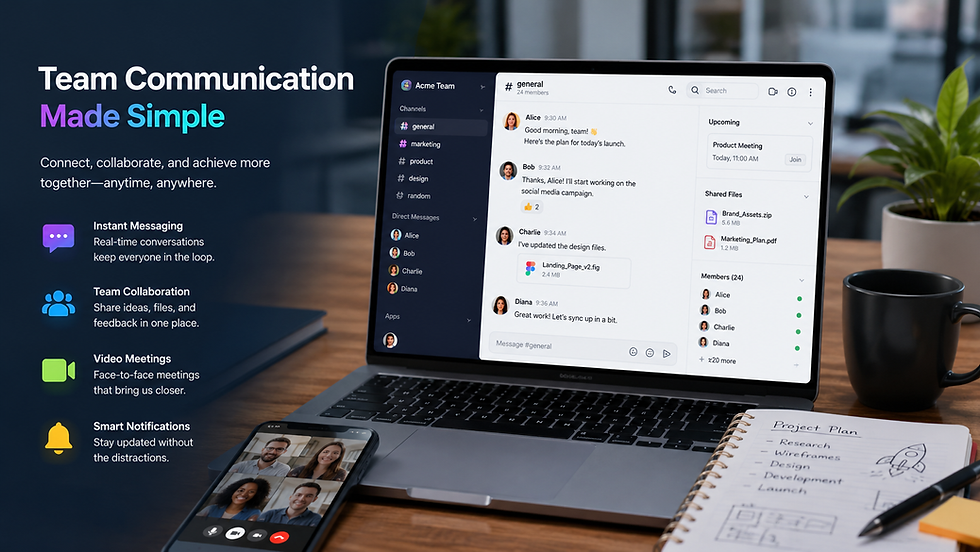
Effective communication is key for any business to succeed. With more organizations now supporting remote work and hybrid teams, team communication software has become super important. These platforms keep employees connected, let them share info quickly, work on projects together, and boost productivity.
The software closes communication gaps by bundling messaging, video calls, file sharing, task management, and collaboration tools in one spot. No matter if you run a startup, small biz, or big company, picking the right communication tool can really ramp up efficiency and keep staff more engaged.
What is Team Communication Software?
Team communication software is digital tools that assist workers in working and communicating in teams more efficiently. This technology centralizes team conversations, decreases the number of emails that employees receive and assists in real time cooperation.
Most current day communication platforms offer:
Instant messaging
Group chats and channels
Voice and video conference calls
File sharing
Task management features
External integrations
Mobility and accessibility on the go
Security and compliance regulations
Why Businesses Need Team Communication Software
Improved teamwork: Workers will be able to collaborate effectively regardless of their physical location, discussing projects, exchanging files and decisions more quickly.
Increase in productivity: Communication software helps shorten communication delays, allows rapid access to information and helps shorten production cycles and improve productivity.
Support for working in a remote/hybrid office environment: The working remotely model is here to stay for many companies. Communication software will help distributed teams stay in contact with one another.
Improved knowledge sharing: Information may be organized into groups or channels, allowing easy access to critical information by the staff.
Better employee engagement: Modern communication tools encourage employee interaction and increase transparence.
Things to consider while choosing your communication software:
Real-time chat
Video conferencing
File sharing
Search capability
Workflow automation
Third-party integrations
Security and compliance
Mobile capability
Customizability
Analytics and reporting
15 Best Team Communication Software Tools in 2026
1. Slack
Slack is likely the best-known team communication application, with channels, instant messaging, workflow automation, and thousands of integrations available.
Key Features: Channels and Organized Discussions, Workflow Automation, Application Integrations, Advanced Search
Best for: Startups and Technology Businesses
2. Microsoft Teams
Microsoft Teams is a comprehensive collaboration application which works well with Microsoft 365.
Key Features: Video Conferencing, File Collaboration, Enterprise Security, Microsoft application integration
Best for: Enterprise level Businesses
3. Google Chat
Google Chat is compatible with Google Workspace and can be seamlessly used alongside it.
Key Features: Gmail Integration, User-friendly Interface, Shared Spaces, Collaboration tools
Best for: Google Workspace users
4. Zoom Team Chat
Zoom Team Chat complements the Zoom collaboration application and ecosystem.
Key Features: Continuous messaging, Meeting integration, File sharing, Team collaboration
Best for: Remote and Hybrid teams
5. Cisco Webex
Cisco Webex is an enterprise grade communication and collaboration tool.
Key Features: Secure meetings, Messaging, AI Powered assistance, Enterprise controls
Best for: Large enterprises
6. Discord
Discord has expanded from a gaming application to a communication platform.
Key Features: voice channels, community management, screen sharing, low cost plans
Best for: Creative teams
7. Mattermost
Mattermost is a self-hosted communication application for security conscious organizations.
Key Features: self-hosted, open-source platform, security controls, workflow customization
Best for: Security conscious businesses
8. Rocket.Chat
Rocket.Chat allows for flexible deployment of an open-source platform.
Key Features: open-source architecture, custom integrations, omnichannel communication, data ownership
Best for: Organizations wanting flexibility
9. Chanty
Chanty combines messaging with task management.
Key Features: Team messaging, task management, voice calls, low cost plans
Best for: Small Businesses
10. Flock
Flock brings communication and collaboration tools together for growing organizations.
Key Features: Team messaging, video calls, productivity features, file sharing
Best for: Small to medium sized businesses
11. RingCentral Team Messaging
RingCentral offers an all-in-one unified communications system.
Key Features: messaging, phone system, video conferencing, team collaboration
Best for: Businesses wanting an all-in-one communication solution
12. DMStack
DMStack brings together business customer communication and internal business communication all in one system.
Key Features: omnichannel messaging, AI powered automation, lead management, centralized inbox
Best for: Customer focused businesses and support teams
13. Wire
Wire is a highly secure communication application which emphasizes privacy and data protection.
Key Features: End to end encryption, compliance features, secure messaging, file sharing
Best for: Security conscious businesses
14. Troop Messenger
Troop Messenger provides enterprise level communication for large organizations, complete with controls and administrator functionality.
Key Features: secure messaging, screen sharing, file sharing, user management
Best for: government and enterprise sectors
15. Connecteam
Connecteam is communication designed for non-desk based and frontline staff.
Key Features: mobile-first communication, employee engagement, schedule management tools, workforce management
Best for: Field service workers and frontline staff
How to Choose the Right Team Communication Software
Understand Business Requirements
Begin by defining the problems we are concerned with in the context of communication and the desired organizational outcomes.
Consider Team Size
Some tools work well for startups and some for enterprises.
Evaluate Security Needs
Encryption and Compliance for all data sensitive handling business.
Check Integration Capabilities
Has to fit into the management tools in your business;
Analyze Pricing
Before you make your choice, take a look at the pricing plans and scalability.
Benefits of Team Communication Software
Faster Decision-Making
Improved Transparency
Reduced Email Dependency
Higher Employee Satisfaction
Better Project Coordination
Enhanced Knowledge Sharing
Increased Operational Efficiency
Challenges and Best Practices
Challenges
Information overload
Excessive notifications
Adoption resistance
Security concerns
Best Practices
Create communication guidelines
Organize channels effectively
Train employees
Use automation wisely
Monitor usage and performance
Future Trends in Team Communication Software
Artificial Intelligence: The AI enabled assistants will automate workflows and boost productivity.
Unified Communications: Enterprises are looking for an integrated messaging, voice and video platform.
Advanced Security: Strong encryption and compliance features-Organizations need just that.
Workflow Automation: Business will be automated to eliminate repetition and speed up business process.
Analytics and Insights: Executives can utilize advanced analytics to enhance communication.
Conclusion
Modern business relies on team communication tools to keep people connected, engaged, and working towards common objectives. If your company is looking for enterprise class security, global collaboration, remote working, or customer communication capabilities, there is a software product to fit your needs. To find out the right fit, analyze your business objectives, company size, integration needs, and security criteria. This analysis can help your organization implement an optimal communication platform and build a more invested, productive, and collaborative workforce.
Read More:
Frequently Asked Questions
Q. What are the tools for team communication?
Provides an environment for employees to communicate and collaborate. Includes messaging, meetings, file sharing.
Q. What is the best team communication software?
The optimal solution will always...slack, Microsoft teams or Google Hangout.
Q. Are team communication tools appropriate for teams working remotely?
Yes. Today, many of our computers and Communication platforms are optimized for remote or hybrid workplace.
Q. What attributes do firms? Value?
Messaging, video conferencing, security, integrations, and accessibility over mobile devices are some of the essential features.


Comments